Native Instruments’ Traktor is one of the best-known DJ programs and has shaped how many DJs build their sets, from beginners to touring professionals. Here is a look at what it can do technically, from the decks and sync to effects, DVS and controller mapping.
The interface
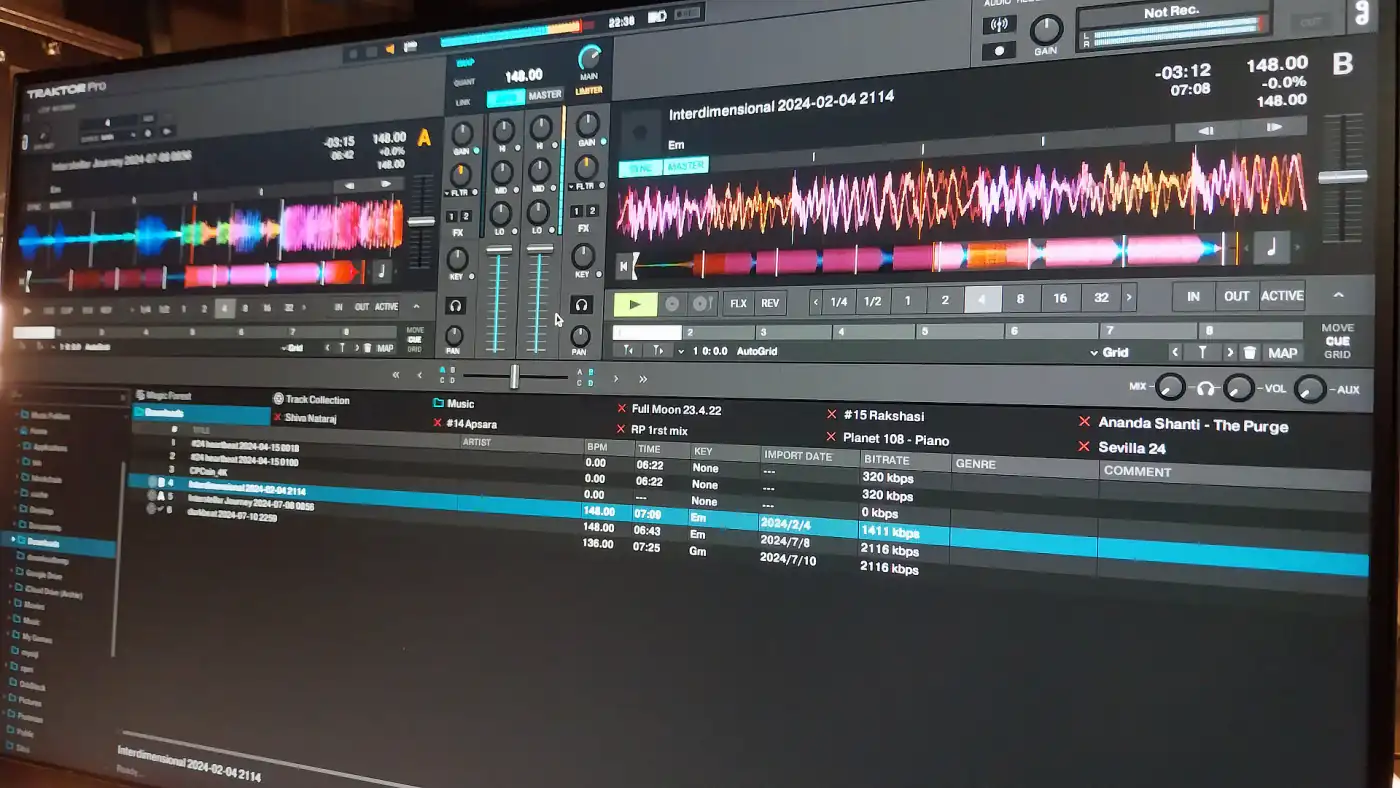
At the heart of Traktor are the decks and the mixer. Traktor supports up to four decks, each of which can play tracks, loops or samples. The mixer gives you precise control over EQ, gain and filters for each channel.
Decks and waveforms
Each deck can run in different modes. As a Track Deck it works like a classic DJ deck: you play a track and manipulate it. A Remix Deck lets you trigger loops and samples on the fly, and a Stem Deck lets you control the individual parts of a track, such as drums, bass and vocals, separately.
The waveforms show the structure of each track and make it easier to line up beats and cue points. You can choose between different waveform styles and colours, which helps you spot the parts of a track at a glance.
Sync and beatgrid
Traktor analyses the BPM and beatgrid of every track and can then synchronise several tracks automatically. That takes beatmatching off your hands, so you can concentrate on track selection and transitions.
The beatgrid is what makes sync reliable. In the beatgrid editor you can correct the grid so that it sits exactly on the beats of the track. That precision matters for a tight mix, especially in genres like techno and psytrance, where long, rhythm-driven transitions are the norm.
Tools for creative mixing
Effects and modifiers
Traktor comes with a large collection of effects, from standard delays and reverbs to more unusual ones like Beatmasher and Gater. You can apply them to individual decks or to the master output. The FX units run in Single mode, where you control one effect with several parameters, or in Group mode, where you stack several effects.
Modifiers are user-defined variables that change how your mappings behave. With them, a control can do different things depending on the state of other controls, which makes complex performance setups possible.
Loops and hotcues
You can set and adjust loops on the fly and store loop points to recall them later, which helps with prepared routines. Hotcues give you instant access to specific points in a track: jump to a section, trigger a part like a sample or start a loop. Hotcues can be colour-coded and labelled, so you know what each one does in the middle of a set.
Samples and Remix Sets
Traktor also lets you add live elements to a mix. Sample slots work like small samplers for one-shots and loops. Remix Sets go a step further and organise many samples and loops in a structured way, which turns your Traktor setup into a live remix station.
DVS and HID
If you prefer the feel of vinyl, Traktor supports a Digital Vinyl System (DVS): you control digital tracks with ordinary turntables and timecode vinyl. Traktor’s DVS has a good reputation for low latency and accurate tracking.
Through HID (Human Interface Device) integration you can also connect CDJs and other media players. You then browse Traktor’s library and control its functions directly from the hardware.
Customisation and mapping
Traktor is very flexible when it comes to adapting it to your workflow. In the Controller Manager you can assign almost any function in the software to any control on your hardware.
MIDI mapping covers every control in the software, so you can build anything from a minimal setup with only the essentials to a complex rig with several layers of functions. The interface itself can be adjusted as well: you can change the layout, resize and rearrange panels and choose between colour schemes.
Verdict
Precise sync, a wide range of effects, flexible deck modes, DVS support and deep mapping make Traktor a strong platform for DJs at every level. The more time you put into learning it and setting it up for your own style, the more it gives back.